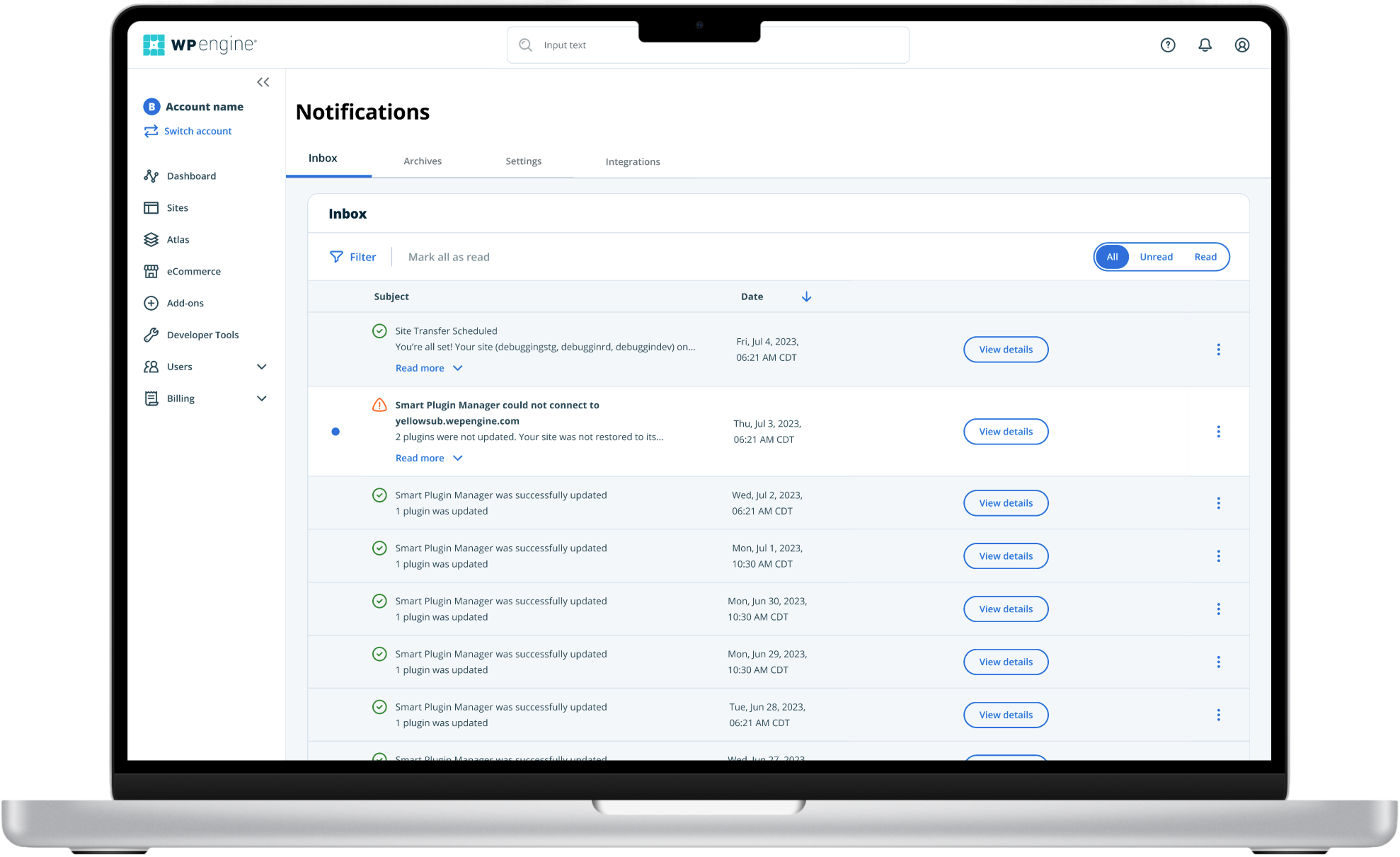
Notification Settings Redesign
From 60% abandonment to 50% engagement — sometimes the best UX recovery is admitting your 'helpful' feature became the problem.
Overview
“Sometimes the best UX recovery is admitting your ‘helpful’ feature became the problem.”
Company: WP Engine | Role: Lead Product Designer | Team: UX Researcher, Product Manager, Engineering Team | Tools: Figma, Miro, Pendo, Jira | Timeline: 8 weeks
Key Results
- 70% reduction in daily emails
- 65% reduction in support tickets
- 40% reduction in drop-off rate
The Problem
WP Engine’s notification settings were driving customers away. Built by engineers without UX input, the interface was a confusing maze of technical jargon and unclear options that left users frustrated and overwhelmed.
The Stakes Were High
- 20% of customers were receiving thousands of emails daily
- One of our largest accounts was risking cancellation if we didn’t fix the notifications ASAP
- Support was fielding 30–50 notification-related tickets per week (spiking to 100 after system updates)
- Users were either ignoring and/or missing critical alerts or considering canceling their accounts
What Users Were Telling Us
“If I get one more email about something I don’t care about, I’m seriously going to turn everything off or cancel my account.” — Kelly M.
“I’m getting hundreds of emails a day!” — John W.
“What do all these options mean?” — Kate R.
Research & Discovery
To understand the full scope of the problem, I conducted comprehensive research using multiple methods:
User Interviews
Customer conversations revealed deep frustration with the notification experience. Key themes:
- Inability to find or understand settings
- Email overwhelm leading to ignoring all notifications
- Confusion about technical terminology
- Desire for granular control over notification frequency

Pendo Analytics Analysis
The behavioral data painted a stark picture:
- 60% of users dropped off without making changes
- 15% actually interacted with controls
- 200% spike in visits after email blasts

Support Ticket Analysis
Our support team confirmed this was a critical business problem:
- 30–50 tickets per week specifically about notification frustrations
- 75–100 tickets per week during peak periods (post-updates)
- Common complaints: email overload, confusing settings, unclear labels, threats to cancel
- Made this one of our top 3 support issues month over month
Design Strategy
Reduce Cognitive Load
Simplify the overwhelming interface through better information architecture and visual hierarchy.
Provide Granular Control
Give users the customization power they need without overwhelming them with options.
Design Process
Key concepts we explored:
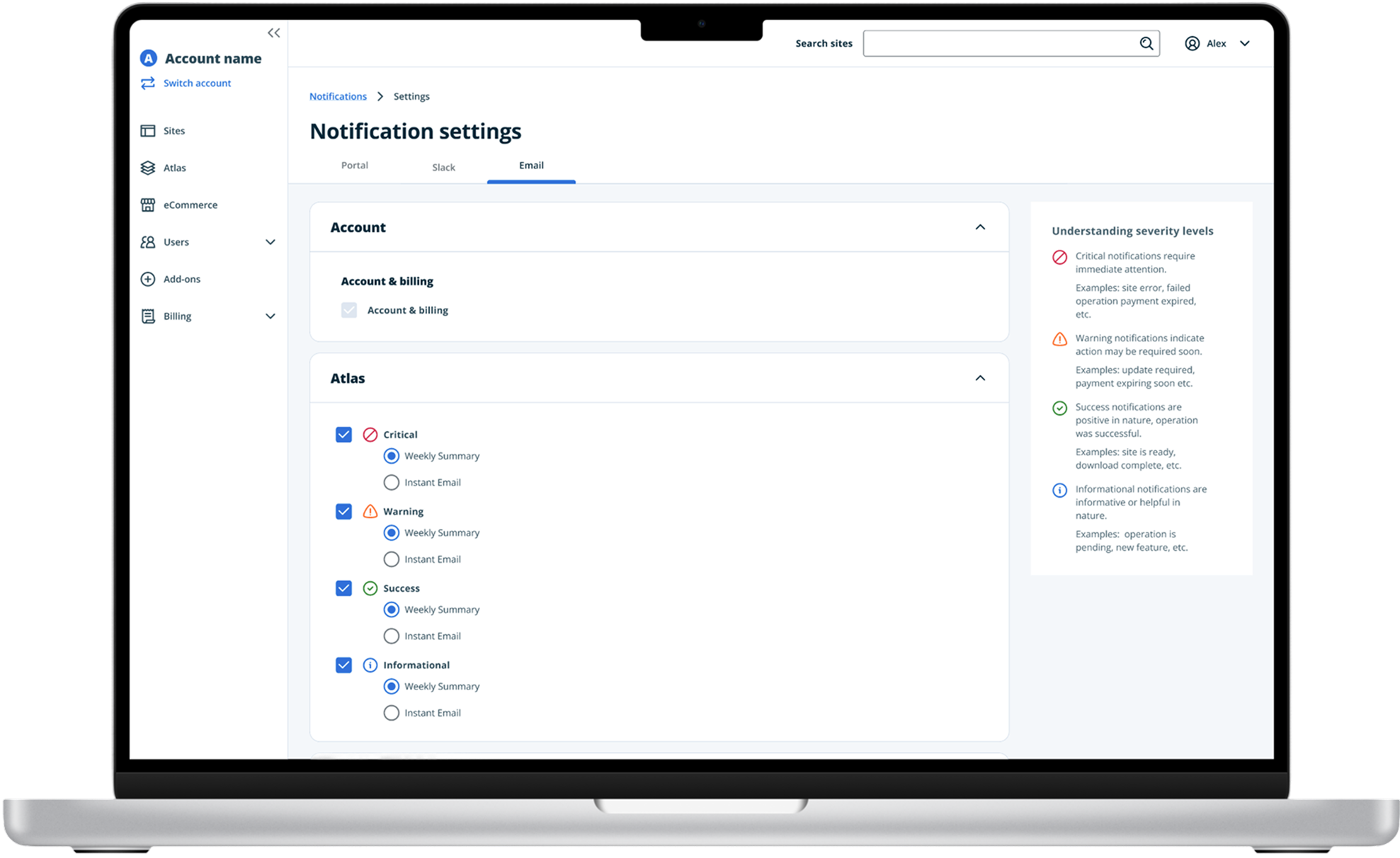
- Categorization by Severity — Help users prioritize what matters most
- Clear Visual Hierarchy — Use typography, icons, and spacing strategically
- Frequency Controls — Let users choose immediate vs. digest delivery


Results
- 70% reduction in daily emails
- 65% reduction in support tickets
- 40% reduction in drop-off rate
- 50% engagement increase (from initial 15%)